前言
如果你想通往 IPv6 Only 的大門,即完全不配置 IPv4 的世界的話,你可能會需要 NAT64 這樣技術。因為這個世界上還是有許多 IPv4 Only 的網站或是主機,所以你就需要一台具有 IPv4 及 IPv6 的主機,來幫你做轉換。
前期準備
你需要有一台具有 IPv4 及 IPv6 的主機,而 IPv6 最好要有 /96 以上的大小,我是使用 /64 比較保險。並且本文章的系統會在 Debian 12 底下操作。
操作方式
安裝 Tayga
因為環境是 Debian 12,所以你可以直接透過 apt 來安裝 tayga。
apt-get install tayga
設定 Tayga
接著我們需要編輯 /etc/tayga.conf 這個檔案。
sudo vim /etc/tayga.conf
如果只是要快速建一個 NAT64 服務的話,其實文件中只需要更改 prefix 的部分即可,其他都不要動。將最下方的 64:ff9b::/96 改成你自己的 /96 網段。
#
# The NAT64 prefix.  The IPv4 address space is mapped into the IPv6 address
# space by prepending this prefix to the IPv4 address.  Using a /96 prefix is
# recommended in most situations, but all lengths specified in RFC 6052 are
# supported.
#
# This must be a prefix selected from your organization's IPv6 address space
# or the Well-Known Prefix 64:ff9b::/96.  Note that using the Well-Known
# Prefix will prohibit IPv6 hosts from contacting IPv4 hosts that have private
# (RFC1918) addresses, per RFC 6052.
#
# The NAT64 prefix need not be specified if all required address mappings are
# listed in `map' directives.  (See below.)
#
# Optional.
#
prefix 64:ff9b::/96
接著啟用 tayga 服務,並讓他開機就執行。
sudo systemctl start tayga
sudo systemctl enable tayga
設定轉發
接著我們需要啟用 IPv4 及 IPv6 的轉發功能,如果你是 Debian 12 以下的版本,你可以這麼設定。
echo "net.ipv4.ip_forward=1" >> /etc/sysctl.conf
echo "net.ipv6.conf.all.forwarding=1" >> /etc/sysctl.conf
然後使用 sysctl -p 生效。
如果你使用 Debian 13 以上,你則可以這麼設定。
cd /etc/sysctl.d && sudo vim 99-custom.conf
貼上以下內容:
net.ipv4.ip_forward=1
net.ipv6.conf.all.forwarding=1
保存退出後,使用 sysctl --system 生效。
設定 DNS64
接著你需要一個 DNS64 才能指向我們的 NAT64 網段嘛,這邊提供幾個文章給你作參考,他使用 Unbound。
☞ 在 Unbound 中啟用 EDNS Client Subnet
選用規則
限制防火牆
如果你的 NAT64 服務不是面對公眾,你只想讓部分用戶可以使用的話,那你可以依照自己的需求編輯以下兩行 ip6tables。
ip6tables -A FORWARD -s 2001:db8:1::/48 -d 2001:db8:1:ffff::/96 -j ACCEPT
ip6tables -A FORWARD -d 2001:db8:1:ffff::/96 -j DROP
測試環節
到這一步就都設定完成啦!接下來我們要進行測試。
測試 DNS
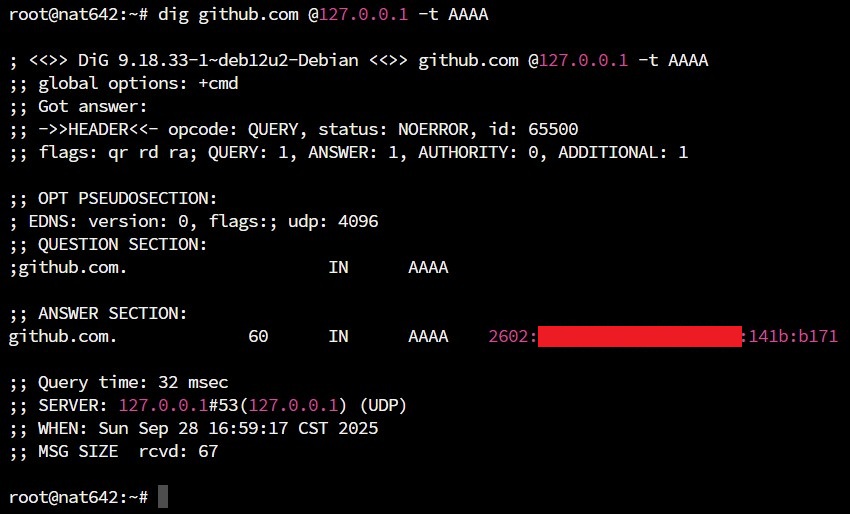
找一個只有 IPv4 Only 的網站,例如說 github.com,看看他有沒有乖乖回應。
dig github.com @127.0.0.1 -t AAAA
測試 NAT64
接著我們就要測試 NAT64 了,測試方法不外乎就是直接把其他機器的 DNS 指過來這台,又或者是你直接在你現實生活中的 Wi-Fi 這麼玩。
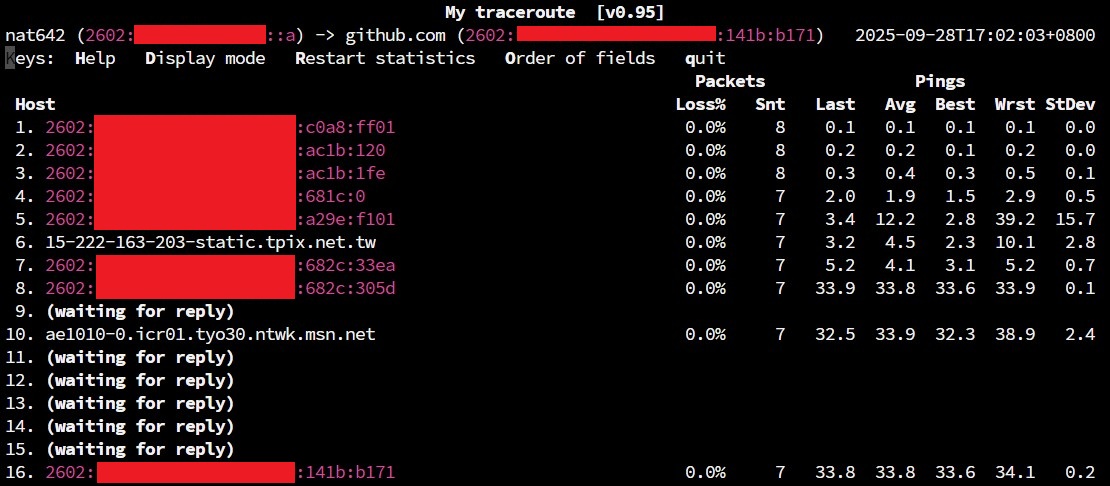
例如以下這個測試是 mtr 到 github.com。
mtr github.com
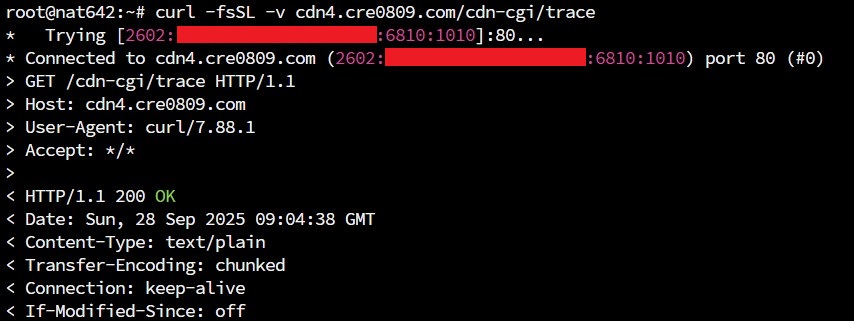
又或者是你直接找一個只會解 IPv4 紀錄的網域,看會不會自己解出 IPv6,並 curl 到他。
curl -fsSL -v cdn4.cre0809.com/cdn-cgi/trace
如果都測試成功,恭喜你!你建置了一個 NAT64 服務,離未來世界更近了一步。